
Parts & Drawings · Buyer’s Guide
How To Find Jackhammer Parts And Diagrams
Find replacement parts using the exact tool model, exploded drawing and manufacturer part number. Learn what to send when a model or part is uncertain.
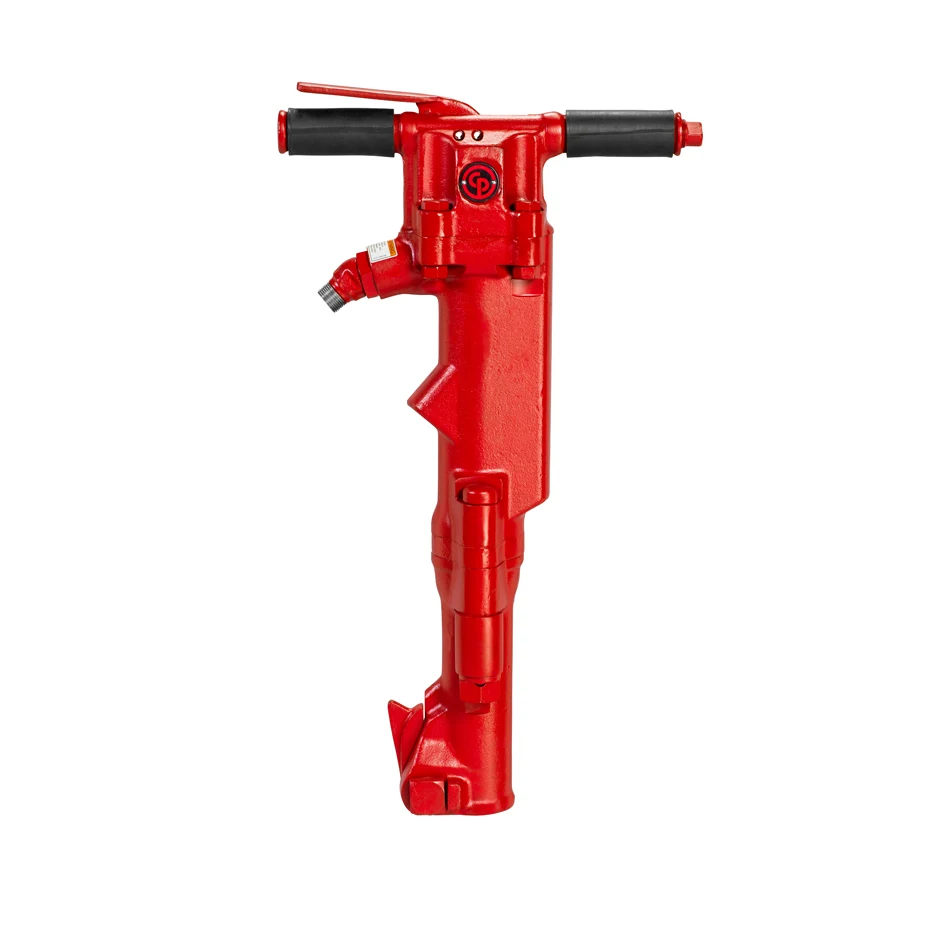

A worn tool may leave you with a broken component, a faded model plate or a number from an old drawing. Any of those can be a starting point for identifying what you need. Keeping the details together makes the next step easier.
This guide follows the route from tool identification to drawing, part number and quote request. It also explains what to send when a search does not turn up the item or the tool’s identity is still uncertain.
The Short Answer
Start with the tool’s identification, open its matching drawing, and use the parts list to translate the drawing callout into a manufacturer part number. Include the model and quantity with the request, even when you already know the number.
Record The Complete Model
Find the brand, model, suffix and any serial information on the tool. Photograph the identification plate and the complete tool. A shared series name can include several strokes, handles, chucks or retainers.
Keep those details with the parts request. A close-looking photograph is useful for orientation, but it is not enough to establish that an internal component fits a particular version.
Open The Matching Exploded Drawing
Use Parts & Drawings to find the tool family. Read the document title and model coverage before looking for the damaged or missing component. Check whether the document includes revision notes or separate lists for different versions.
The small number beside a component in an exploded view is usually a callout. Find that callout in the accompanying list and copy the manufacturer’s part number and description. A callout such as “12” should not be treated as a universal ordering number.
Search The Part Number And Confirm The Context
Enter the part number in Replacement Parts. The search accepts spaces and hyphens as optional, but keep the original printed number in your notes. Compare the returned description and the tool model before adding a quantity.
A search result helps locate an item; it does not by itself verify fit, stock or lead time. If the same number appears in a kit and as a component, state which you need and ask what the kit includes.

Separate Working Steel From Repair Parts
Points, chisels, drill rods and bits are selected through accessory connections and dimensions. Internal components are identified through the correct tool drawing and parts list.
If you need a new chisel, record the shank and collar rather than guessing from the barrel length. If you need a retainer component, identify it on the model’s parts drawing. Describing which of these you need makes the request much clearer.
When A Drawing Or Part Is Missing
Send the model-plate photo, overall tool photo, any drawing you already have and the exact number or callout you are trying to identify. Describe the symptom without assuming that one visible component is the only part requiring attention.
An older tool or an empty search result does not establish that parts are unavailable. Ask for help confirming the identification and any supported replacement. Use the current service instructions and qualified service support for repair work.
Your Comparison Checklist
| Have this? | Next step | Include with the request |
|---|---|---|
| A known part number | Search Replacement Parts | Model, version and required quantity |
| A model but no part number | Open Parts & Drawings | Drawing title/revision and component callout |
| An older or uncertain tool | Photograph the identification plate and complete tool | Brand, visible markings and configuration |
| A point, chisel, rod or bit | Use the accessory identification guide | Connection dimensions and working-end details |
| A number missing from search | Ask for identification or availability help | The exact number as printed, not a guessed substitute |
Common Questions
Is The Diagram Number The Part Number?
Usually the number beside the drawing identifies a position in its accompanying list. Use that list to find the actual manufacturer part number; include both if the document is unclear.
Can I Order From A Photograph Alone?
A photograph helps, especially when it shows markings and the full tool, but fit should be confirmed from model and part information before ordering.
What If My Part Is Not Listed?
Send the exact number, model and drawing information through the contact form or call for help. A missing catalog result is not a stock or availability decision.
References & Further Reading
Use the current manual for your exact model for operating, safety and maintenance instructions.
